Image unavailable (removed by its host)Here is a port of the Nintendo DS emulator, DSemume 0.95, to 360 thanks to Yoshihiro! Image unavailable (removed by its host)
How to use DSon360:
- Put all your .nds games in the roms folder
Control configuration:
- A = B
- B = A
- X = Y
- Y = X
- LB = L
- RB = R
- START = START
- BACK = SELECT
- Press the left arrow for the touch screen. No cursor for now (that will be for the next version)
- Press the right arrow to go back to the rom list
Changelog
- 2D games run better (smoother).
- New save function (savestats)
- the stylus has been added as a modified wii cursor
- Widescreen for all games (full screen display)
Voici un portage de l'émulateur Nintendo DS, DSemume 0.95, sur 360 grâce à Yoshihiro !
Comment utiliser DSon360 :
- Mettez tous vos jeux .nds dans le dossier roms
Configuration des commandes :
- A = B
- B = A
- X = Y
- Y = X
- LB = L
- RB = R
- START = START
- BACK = SELECT
- Appuyer sur la flèche gauche pour l'écran tactile. Pas de curseur pour l'instant (ce sera pour la prochaine version)
- Appuyer sur la flèche droite pour revenir à la liste des roms
Changelog
- les jeux 2D tournent mieux (plus de fluidité).
- Nouvelle fonction de sauvegarde (savestats)
- le stylet est ajouté sous forme de curseur wii modifié
- Ecran large pour tous les jeux (affichage plein écran)
Tgames only uses the cookies the board needs (login, preferences). Embedded videos and audio (YouTube, Dailymotion, SoundCloud…) set their own cookies: they are only loaded with your consent. Learn more

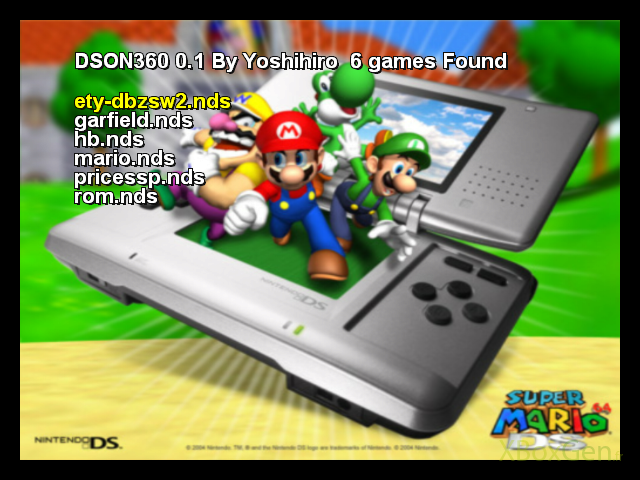 Image unavailable (removed by its host)




 Everything for Xbox