multiMAN 2.09.02 Image unavailable (removed by its host)Deanrr proposes a new version of his multiMAN, a mod of open manager that combines Open Manager and Simple AVCHD allowing you to launch backups but also watch AVCHD format videos.
[RIGHT STICK] - Move cursor.
[LEFT STICK] - Same as D-PAD.
[L1] - Return to games view.
[L2] - Scroll down the page (left panel).
[R2] - Scroll down the page (right panel).
[D-PAD] - up/down/left/right moves cursor one line (top or bottom and left or right panel).
---
[X] - Enter selected directory.
[/\] - Return to XMB.
[ ] - Delete a file/folder (use with caution - disabled for PS3 root folders).
[O] - Copy a file/folder.
[O]+[SELECT] - Move a file/folder (not implemented).
[X]+[SELECT] - Rename a file/folder (not implemented).
---
Device icons at bottom:
[X] or [L3] - Load device folders in left panel.
[O] or [R3] - Load device folders in right panel.
ps: You need to copy the LANG_FR.TXT file into the /dev_hdd0/game/BLES80608/USRDIR/lang/ folder MultiMan Themes to download Project Multi Mayhem Mortal Kombat Image unavailable (removed by its host) Image unavailable (removed by its host)changelog 2.09.00:
* Improved performance in XMMB display mode
* Backup from PS3 game discs now works as it should
* You can still launch PSX games from XMMB Game Column
* You can still launch PS3 game backups from DVD-R/RW / BD-R/RE
* You cannot create ISO backups or access non-genuine PS3 game discs (unless Direct Disc Access is enabled)
* You will see an animated icon in XMMB Game column, which you can use to launch your PSX backups.
* To keep the same functionality as before you can turn on "Direct Disc Access" from XMMB Settings column.
>>> Press [TRIANGLE] -> Enable Direct Disc Access
>>> When in Direct Disc Access mode you can rip BD movie discs, launch games, but you can't create backups of PS3 Game Discs.
>>> Do not use "Direct Disc Access Mode" unless you really need it.
multiMAN 2.09.02Deanrr nous propose une nouvelle version de de son multiMAN, un mod d'open manager qui combine Open Manager et Simple AVCHD et permettant ainsi de lancer des backups mais également de regarder des vidéos au format AVCHD.
[STICK DROIT] - Bouger le curseur.
[STICK GAUCHE] - Idem que le D-PAD.
[L1] - Retourne à la vue des jeux.
[L2] - Descendre dans la page (panneau gauche).
[R2] - Descendre dans la page (panneau droit).
[D-PAD] - haut/bas/gauche/droite bouge le curseur d'une ligne (en haut ou en bas et panneau gauche ou panneau droit).
---
[X] - Entrer dans le répertoire sélectionné.
[/\] - Retourner au XMB.
[ ] - Supprimer un fichier/dossier (à utiliser avec précaution - désactivé pour les dossier racines de la PS3).
[O] - Copier un ficher/dossier.
[O]+[SELECT] - Déplacer un ficher/dossier (non implémenté).
[X]+[SELECT] - Renommer un ficher/dossier (non implémenté).
---
Icônes des périphériques en bas:
[X] ou [L3] - Charger les dossiers de de périphérique dans le panneau gauche.
[O] ou [R3] - Charger les dossiers de de périphérique dans le panneau droit.
ps:Il faut copier le fichier LANG_FR.TXT dans le dossier /dev_hdd0/game/BLES80608/USRDIR/lang/ Thèmes multiMan a télécharger Project Multi Mayhem Mortal Kombatchangelog 2.09.00 :
* Improved performance in XMMB display mode
* Backup from PS3 game discs now works as it should
* You can still launch PSX games from XMMB Game Column
* You can still launch PS3 game backups from DVD-R/RW / BD-R/RE
* You cannot create ISO backups or access non-genuine PS3 game discs (unless Direct Disc Access is enabled)
* You will see an animated icon in XMMB Game column, which you can use to launch your PSX backups.
* To keep the same functionality as before you can turn on "Direct Disc Access" from XMMB Settings column.
>>> Press [TRIANGLE] -> Enable Direct Disc Access
>>> When in Direct Disc Access mode you can rip BD movie discs, launch games, but you can't create backups of PS3 Game Discs.
>>> Do not use "Direct Disc Access Mode" unless you really need it.
By the way the file options_default needs to be put at the root of the usb device and I'm not sure but you can change the path of the backups by editing this file.
I'll test it tonight and edit my message.
Merci pour la news
Sinon le fichier options_default faut le mettre a la racine du périphérique usb et je suis pas sure mais on peut modifier le chemin des backups en modifiant ce dernier .
By the way the file options_default needs to be put at the root of the usb device and I'm not sure but you can change the path of the backups by editing this file.
I'll test it tonight and edit my message.
I just tested it for you, yes it works, in the options_default file I changed all the GAMES to GAMEZ then made a copy at the root of my usb and there you go, done, now I only have one directory for all my backups hihihihi, thanks salahpayne
salahpayne wrote:Merci pour la news
Sinon le fichier options_default faut le mettre a la racine du périphérique usb et je suis pas sure mais on peut modifier le chemin des backups en modifiant ce dernier .
je vais testé ce soir et j'édite mon message .
je viens de tester pour toi,oui ça marche,dans le fichier options_default j'ai changé tout les GAMES par GAMEZ puis une copie en racine de mon usb et hop le tour est joué,je n'ai maintenant qu'un seul répertoire pour tout mes backups hihihihi,merci salahpayne
votre ps3 vous appartient,faite en ce que vous voulez!!!!
By the way the file options_default needs to be put at the root of the usb device and I'm not sure but you can change the path of the backups by editing this file.
I'll test it tonight and edit my message.
I just tested it for you, yes it works, in the options_default file I changed all the GAMES to GAMEZ then made a copy at the root of my usb and there you go, done, now I only have one directory for all my backups hihihihi, thanks salahpayne
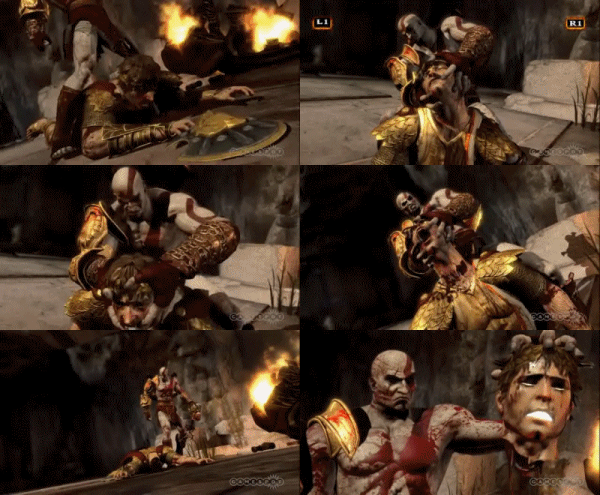
Thanks arnauto no ps3 for the moment I'm getting a slim tomorrow otherwise in the meantime I'm on ghost of sparta
Kratos Spoiler
arnauto wrote:
salahpayne wrote:Merci pour la news
Sinon le fichier options_default faut le mettre a la racine du périphérique usb et je suis pas sure mais on peut modifier le chemin des backups en modifiant ce dernier .
je vais testé ce soir et j'édite mon message .
je viens de tester pour toi,oui ça marche,dans le fichier options_default j'ai changé tout les GAMES par GAMEZ puis une copie en racine de mon usb et hop le tour est joué,je n'ai maintenant qu'un seul répertoire pour tout mes backups hihihihi,merci salahpayne
Merci arnauto pas de ps3 pour le moment je me prend une slim demain sinon en attendant je suis sur ghost of sparta
- Function to check/download updates via the R3 button (requires a connected disc/USB key).
- Support for COVER.PNG in AVCHD video folders
- INI option to configure the directory containing the covers
During copy/backup, the time shown is the remaining time, not the time already elapsed. Auto splitting/joining for files of 4GB+ is supported.
- Fonction de vérification/téléchargement de mise à jour via le bouton R3 (nécessite un disque/clé USB connecté).
- Support de COVER.PNG dans les dossiers vidéo AVCHD
- Option INI pour configurer le répertoire contenant les covers
Durant la copie/backup, le temps affiché est celui du temps restant et non celui déjà passé. L'Auto splitting/joining pour les fichiers de 4GB+ est supporté.
Thanks for the update and here's another one (the wii scene isn't moving anymore like it used to, waninkoko marcan hermes on ps3 and it's )
multiMAN Update 1.07.06
Changelog:
Version 1.07.06
* [SELECT]+[O] - Move FILE or FOLDER now works in FILE MANAGER mode
* new option in the ini (as requested) which affects one of the display modes:
# game_bg_overlay=1 (0 - do not overlay game PIC1.PNG over user background picture, 1 - overlay)
Two things left to be implemented in the filemanager: RENAME and CREATE NEW FOLDER.
Merci pour la maj et voila une autre (la scène wii ne bouge plus comme avant waninkoko marcan hermes sur ps3 et c'est )
Maj multiMAN 1.07.06
Changelog :
Version 1.07.06
* [SELECT]+[O] - Move FILE or FOLDER now works in FILE MANAGER mode
* new option in the ini (as requested) which affects one of the display modes:
# game_bg_overlay=1 (0 - do not overlay game PIC1.PNG over user background picture, 1 - overlay)
Two things left to be implemented in the filemanager: RENAME and CREATE NEW FOLDER.
- Added a function to rename files/folders from the File Manager via [SELECT]-[X].
- Added a function to create a folder from the File Manager via the [R1] button
- Added a function to move a file from the File Manager via [SELECT]+[O]
- New option in .ini concerning one of the display modes:
# game_bg_overlay=1 (0 - disables the overlay of a game's PIC1.PNG file on the user's background image, 1 - enables the overlay)
You can update multiMAN directly over the internet via the R3 button.
- Ajout d'une fonction permettant de renommer des fichiers/dossiers depuis le File Manager via [SELECT]-[X].
- Ajout d'une fonction permettant de créer un dossier depuis le File Manager via le bouton [R1]
- Ajout d'une fonction permettant de déplacer un fichier depuis le File Manager via [SELECT]+[O]
- Nouvelle option dans .ini concernant un des modes d'affichage:
# game_bg_overlay=1 (0 - désactive l'overlay du fichier PIC1.PNG d'un jeu sur l'image de fond de l'utilisateur, 1 - active l'overlay)
Vous pouvez mettre à jour multiMAN directement par internet via le bouton R3.
I edited the option-default.ini (hdd_dir ..../GAME, usb_dir..../GAMEZ) for the backups and I removed the lines for the 2 recursive search directories.
shouldn't I also remove the home2 etc ....?
thanks
Bonj,
j'ai les covers qui s'affichent en double.
J'ai modifié l'option-default.ini (hdd_dir ..../GAME, usb_dir..../GAMEZ) pour les backups et j''ai retiré les lignes pour les2 répertoires de recherche récursifs.
ne faut-il pas encore retirer les home2, etc .... ?
Tgames only uses the cookies the board needs (login, preferences). Embedded videos and audio (YouTube, Dailymotion, SoundCloud…) set their own cookies: they are only loaded with your consent. Learn more






 , thanks guys



 I don't like that one.
 Everything for PS5 · PS4 · PS3