
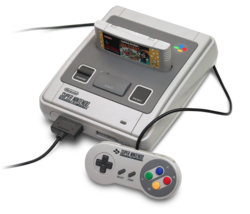
 Squarepusher offers a new version of his port of Snes9x (Super Nintendo emulator) on PS3.
Changelog:
==================
Build 4.4.9 (12-04-2011)
==================
Custom Soundtrack support - select a song/album/playlist from the XMB Music category - music can be played both in-game and from within the menu.
Added USB/Bluetooth headset support - sound gets output through the headset.
Fixed Super Mario RPG level-up freeze.
Some filebrowser fixes
Added 5x scale option.
Updated Maister Pong - now with sound effects, scoring, two-player support, nice gameplay mechanics, etc.
Old Changlog:
Build 4.4.9 (12-04-2011)
==================
Custom Soundtrack support - select a song/album/playlist from the XMB Music category - music can be played both in-game and from within the menu.
Added USB/Bluetooth headset support - sound gets output through the headset.
Fixed Super Mario RPG level-up freeze.
Some filebrowser fixes
Added 5x scale option.
Updated Maister Pong - now with sound effects, scoring, two-player support, nice gameplay mechanics, etc.
Spoiler
4.4.8
===================
Build 4.4.8 (03-04-2011)
===================
* Very big performance and lag reduction optimizations. The previous builds
were indeed very laggy - this should be a very big improvement on that front.
* You can now use two shaders at once - we call this 'Custom Scaling/ Dual
Shader' mode. A scaling factor (from 1 to 4x) can be specified.
Some great graphical effects can be achieved by combining shaders.
* Shader presets have been added. Shader presets are configuration files that
automatically configure the settings for 'Shader 1', 'Shader 2', 'Hardware
Filtering Shader 1', 'Hardware Filtering Shader 2', 'Scaling Factor' and
'Overscan'. You can create your own shader presets - they are just
plain-text files stored in USRDIR/presets.
* Controllers can now be individually configured - you can specifically
configure the controls for a controller connected to a specific port/
number.
* Cheat input has been made less buggy. With the 'New' control scheme -
L2 + Analog Stick Right Down will still input cheats with the OSK, but
it will add a generic label (simply the cheatcode itself as a label)
until you rename this generic label by triggering the action 'Input
Cheatlabel'. The 'New' control scheme has this hooked up to 'L2 + R2 +
Analog Stick Right - Down'. This can of course be reconfigured to any
button / button-combo you see fit.
* Fixed interlaced games like Rise Of The Robots - were displaying
glitched graphics before in version 4.4.7.
* Added a homebrew SNES game by Themaister. Game logic is semi-hooked
up - paddle works, ball bounces off the paddle, just scoring has to
be added. Anyway, this has mostly been a 3-day exercise in SNES ASM. This is just for illustrative purposes.
* Added some shader variations and some new shaders - HQ4x, 4xBR -
courtesy of Jacaraca.
4.4.6
- Merged the HD and Normal versions into one. It is now the HD shaders that do the same thing as in the HD version. Using the HD shaders instead of using a modified version of the HD version. '4xSoft-HD' is currently the best there is in terms of HD shaders. The 4.4.5 HD version used interlaced mode, with the HD shaders you can use either progressive or interlaced mode.
- Fixed the automatic PAL50/PAL60 activation in 576i/p mode.
- Fixed the interlacing problem on Rise Of The Robots. All other games using the same mode are also fixed.
- Fixed the multiplayer control problem. Only player 1 was working
4.4.5
- New HD version: all games run at SNES's highest resolution (512x448 interlaced mode). Try it with the shader enabled (4xSoft) to enhance the games' beauty. Both modes, progressive (1080p/720p/480p/576p) and interlaced (480i/576i/1080i) work with it. Try interlaced mode for best results.
- 4xSoft combined with the HD version greatly improves the pseudo transparency at high resolution in Kirby's Dreamland 3.
- Added a Triple Buffering option. Option enabled by default. Graphics/shader performance is noticeably improved. However, this option may cause input lag.
- USB/Bluetooth mice can now be used for games requiring a Mouse/Super Scope.
- Primal Rage works again.
Build 4.4.4 (19-01-2010)
=================================================
- FIXED: (CHRONO TRIGGER SCREEN HEIGHT JUMPING BUG)
=================================================
Chrono Trigger would jump from 256x224 to 256x239 for one odd frame when
transitioning from normal mode to battle mode - this caused an undesirable
screen hiccup to occur everytime. This issue has been fixed.
=================================================
- FIXED: Player 2 - Buttons X/Y didn't work
=================================================
This bug was introduced in v4.4.3 due to an improper macro. It has now been
fixed as of v4.4.4.
=================================================
- FIXED: Loading a ROM with a cheatfile loaded and then loading another ROM
with no cheatfile will not clear out the previous game's cheats
=================================================
This bug was introduced in v4.4.0, and has now been fixed as of v4.4.4. Also
note that games which do not have a cheatfile will create a new cheatfile
automatically.
=================================================
- FIXED: Super Scope controls auto-centered when let go of thumbstick
- ADDED: Better Super Scope controls
=================================================
Previously in v4.4.3, the Super Scope crosshair would center back to the middle
of the screen as soon as you let go of the thumbstick on the left analog stick.
Now it controls much more closely to the mouse. Note that there might be an
option to toggle the Super Scope controls in the future (to either auto-center
when let go of the thumbstick or let the cursor stay at the current position).
=================================================
- FIXED: Some games were hooked up with patchy controls (Doom)
- ADDED: Accessory Autodetection
=================================================
The accessory autodetection in v4.4.2/4.4.3 left some things to be desired.
A new setting has been added to the SNES9x Settings screen - 'Accessory Auto-
detection'.
SNES9x PS3 auto-detects most games that feature support for these peripherals.
This setting will control how SNES9x PS3 will deal with these games when it
detects them.
CONFIRM - When detecting a Mouse/Scope/Multitap-compatible game, a dialog
screen is presented to the user asking him/her if the accessory
should be enabled. If you select 'No', normal 2 joypad controls
will be used instead.
ON - Games which support Mouse/Scope/Multitap will be automatically
detected and the accessory will be automatically enabled without
any input from the user.
OFF - Accessories will not be detected or enabled - standard 2 joypad
controls for all games.
=================================================
- ADDED: Control Schemes
=================================================
There are now three [Control Schemes] - 'Default', 'New', and 'Custom'.
DEFAULT - Controls are the same as they were before.
NEW - A new control scheme. See below:
R3 + L3 - [Exit to Menu] - go back to the ROM Browser
menu.
Right analog stick - Up - SNES9x pause (supersedes regular SNES pause).
Right analog stick - Left - Decrement fastforward speed by one (-1).
Right analog stick - Right - Increment fastforward speed by one (+1).
Right analog stick - Down - Toggle [Fastforwarding] on/off.
Right analog stick - Left + L2 - Decrement cheat position by one (-1).
Right analog stick - Right + L2 - Increment cheat position by one (+1).
Right analog stick - Up + L2 - Toggle the currently selected cheat on/off.
Right analog stick - Down + L2 - Input a cheat with an on-screen keyboard.
Right analog stick - Left + R2 - Decrement save state slot by one (-1).
Right analog stick - Right + R2 - Increment save state slot by one (+1).
Right analog stick - Up + R2 - Load from currently selected save state slot.
Right analog stick - Down + R2 - Save to currently selected save state slot.
R2 + R3 - Toggle [SRAM Write Protection] on/off.
L2 + R3 - Toggle [Record Movie] on/off.
L2 + L3 - Load Movie
CUSTOM - Custom control scheme. All buttons/button combos can be
customized.
=================================================
- ADDED: Savestate SRAM Overwrite Protect
=================================================
Implemented by request - see Issue 8: Loading a save state also load the
associated save ram file and write it to disk right away.
(URL: https://code.google.com/p/snes9x-ps3/is ... id=8&can=1)
Normally, when SNES9x loads a savestate, the SRAM contents are automatically
overwritten. The ugly side-effect of this is that this can unknowingly
delete your normal saved game progress.
ON - SNES9x will write-protect SRAM - this means that if you load a save-
state, it will not overwrite the SRAM save(s). However, SRAM is not
saved at all in this mode.
OFF - SRAM is writable - this means that if you load a savestate, it will
overwrite the SRAM save(s).
NOTE: This option can be toggled in-game with the 'New' control scheme by
pressing button combo [R2 + R3].
=================================================
- ADDED: Cheat Code Input In-game with Onscreen Keyboard
=================================================
Cheatcodes can now be inserted with an onscreen keyboard in-game. A new
action has been added called 'Cheat Input'.
Cheatcodes that you add will be saved to your cheatfile. Currently, the cheat
code will be added in order.
NOTE: This option can be toggled in-game with the 'New' control scheme by
pressing button combo [L2 + Analog Stick Right - Down].
NOTE: There is still a bug that happens after inserting 15/16 cheat codes
in a row.
When this bug happens, you will no longer be presented with the option to
input a label after correctly inputting a cheat. Instead, the label will be
the cheat code itself. This is a memory shortage bug that we hope to fix soon.
=================================================
- ADDED: Resolution saving
=================================================
Implemented by request - see Issue 18: Screen resolution does not save upon
exit
(URL: https://code.google.com/p/snes9x-ps3/is ... d=18&can=1)
The resolution you had previously played in will now be automatically selected
when you start SNES9x the next time.
There are also sane fallbacks. If SNES9x saved the resolution at 1080p and the
next time you want to play SNES9x you happen to have your PS3 connected to a
screen that doesn't support 1080p - it will fall back to a lower resolution
that your TV does support.
=================================================
- ADDED: Throttle Mode
=================================================
This is a performance benchmarking feature that might or might not be useful
to users. Turn this 'Off', and VSync and audio will be disabled - the game
will then run at the maximum amount of frames per second (FPS) that the PS3
can manage.
NOTE: There seems to be a hardware/software cap of 124/125fps that appears to
be prevalent even in menus.
Changelog 4.4.1 :
* Added pixel shaders - select them in General Settings.
The following pixel shaders have been added:
- Stock (Default shader)
- 2xSaI
- Blur
- Curved CRT
- HQ2x
- Quad interpolation
- Scanlines
- Sharpen
- Super2xSaI
- SuperEagle
all but SuperEagle, Super2xSaI and Curved CRT run at fullspeed at 1080p 16:9 - the highest resolution. If a shader doesn't run at fullspeed on that resolution, 720p resolution 16:9/4:3 will run it just fine at fullspeed.
* PAL60 option works with 1.92 version
* Added a 'Force NTSC ROM to PAL' option to SNES9x Settings
snes9x-ps3-4.4.1-fw3.41 -
this is for people with firmware 3.41
snes9x-ps3-4.4.1-576pdisabled-fw1.92 -
this is for people with firmware 1.92 AND if you'd rather default to 480p if you have a CRT TV
snes9x-ps3-4.4.1-576penabled-fw1.92 -
this is for people with firmware 1.92 AND if you'd rather default to 576p if you have a CRT TV
Changlog Snes9x PS3 4.4.0 :
- The issues with PAL consoles are fixed for all resolutions. The ghosting effect is gone.
- It is now possible to launch NTSC and PAL Roms correctly in 576p PAL mode. When the PAL60 setting is enabled, a trick will be applied to let NTSC Roms work correctly at 50Hz. If the (PAL60) setting is disabled, PAL Roms will launch correctly. Even though PAL Roms now work correctly at 480p/720p/1080p resolutions, 576p seems slightly faster but this should be barely noticeable to the user.
- Cheatcode files can now be loaded and selected/activated during gameplay. zSNES and SNES9x cheatcodes are supported, all with the .CHT extension. You can also set a Cheatfile folder. If you don't set a Cheatfile folder, the default directory will be USRDIR.
Changlog Snes9x PS3 4.3.9 :
- Updated to the new version of SNES9x allowing you to launch The Mask game which didn't work before.
- Fixed the 16:9 aspect ratio problem. It was a general problem with PS3s on HDTV screens. There is now an "Overscan" option in the settings menu that you can use to widen the screen according to your TV.
- Settings are saved when exiting the emulator.
- Fixed the display problem on the right part of the screen.
- 2 sound modes are now available: Normal (identical to the one available until now) and RSound. RSound is a network client/server audio program. This lets you route your music from your PS3 (SNES sound in this case) to a laptop/PC/settopbox using a media player with either the RSound plugin or a specific RSound server application (Rsd/Rsdplay). You will find a documentation file as well as a Youtube video to help you set up this mode.
- Major restructuring of the settings screen.
- The default directories for Roms and saves can now be configured from the settings screen.
- 5-player Multitap support.
- Use the right analog stick (to the right or left) in a game to change the save slot.
Changlog Snes9x PS3 4.3.8 :
* Updated to new SNES9x version - now runs the following games that didn't work previously (or had noise instead of sound):
- Earthworm Jim 2
- NBA Hangtime
- MS Pac Man
* PSGL driver built and in use - speed is now better at 1080p than it was previously at 480p. There's still a resolution switch, but there's no need anymore to switch to 480p - speed is the same at 1080p as it is on 480p, and it's damn good for the record. Enjoy.
* All resolutions supported now
* Added simple hardware filtering settings - Linear Interpolation and Point Filtering. Shaders will come later.
* Added Aspect Ratio settings - 4:3 and 16:10 (HDTVs with 16:9 aspect ratio might experience that on 16:10, the screen might be slightly cut-off. We're working on a proper aspect ratio setting for 16:9)
* Can now load configurable settings from snes9x.conf file stored in the USRDIR folder. Saving of this file will come in the next release.
* Will now select the highest resolution your TV/monitor can support - so is no longer set to default at 480p.
4.3.7
There's now a build for PS3s with firmwares below 3.41 (basically bigger than or equal to FW 1.92) and a build for PS3s with firmware 3.41.
* You can now switch resolutions inside the Settings screen - go from 480p to 720p or vice versa, hence the need for two builds (480p and 720p) eliminated. (Halsafar)
* Zipped ROM support (ZIP/JMA) (Squarepusher)
* Savestates are now compressed as well (NOTE: I don't know what this will do to your pre-existing savestates. Try to back them up first - they're inside the USRDIR folder of /dev_hdd0/game/SNES90000/)
* Menu looks a whole lot better now at both 480p and 720p; crappy font has been put out of commission. It's now actually readable (Cmonkey69)
* Games that switch between SNES resolutions (Seiken Densetsu 3/Secret of Mana) are now both vertically scaled correctly - you don't even notice the resolution switch anymore. This is only at 480p mode - in 720p mode you will notice the same effect as you did previously. This will be worked on. (Halsafar)
* A lot of settings got added to the Settings screen. For instance, it's now possible (on most PAL games) to run them at 60fps by setting 'Force PAL ROM to NTSC' to ON. This won't work for every game, however (most games after 1993 came with region protection), and it might even result in a crash because you're doing something that is not deemed appropriate by either the SNES hardware or the emulator. A solution for PAL ROMs is worked on.
* You can return to a previous folder inside the ROM menu by pressing the CIRCLE button
- Save management: press R3 + R2 to save, and R3 + L2 to load a save. You can change save slots via the new Settings menu.
- Integration of a Settings screen
- Notable performance improvements thanks to moving to a more recent SDK. Jikkyou Oshaberi Parodius now works correctly despite a slight framerate drop to 57fps when selecting the character, but works normally afterwards (60 fps at 480p).
Explanations about the new Settings menu:
- Display framerate = displays the FPS on screen
- Sound Input Rate = The audio input rate of the SNES audio processor. Works correctly at the default rate (31942)
- Transparency Effects = Disables transparency (*)
- Frame skip = sets frame skipping - normally set to AUTO (*)
- Disable graphic windows = disables graphics (*)
- Current save state slot = lets you set the save slot. This lets you manage several saves and switch from one to another.
* feature that will probably be removed in the future due to its limited usefulness.
The archive contains a 480p version, a 720p version as well as the sources.
* Fixed the 'green ROM' loading/crashing bug - it was due to a mistake made when 'sorting' the file names inside a directory - the variable array that checked if a file was a directory was not updated. Credit goes to cmonkey69 for fixing his own code
* Moved all display code into its own file - celldisplay.cpp / celldisplayutil.h
* Upgraded to latest SNES9x - git repository: https://board.byuu.org/viewtopic.php?f=3&t=881
- Contains the following patches/improvements:
- Cx4 improvement (Mega Man X2)
- Fix Dual Orb 2 sound glitch (byuu)
- Updated to latest WIP
- Improvements noticed by myself (mostly APU related):
- Jikkyou Oshaberi Parodius - far better performance - far less sound pops (this was one of the few games except for SuperFX ones that did not run perfectly)
- Star Fox/Star Fox 2 have far less sound pops (though still there)
- Super Mario World 2: Yoshi's Island - the spots where framerate dips and sound pops could be noticed have also been improved
Build 4.3.4 (3-10-2010):
* Removed the hack that caused the emulator to exit to the XMB after loading the fourth ROM - this was to disguise a really bad crashing bug. This hack no longer seems to be needed.
* If you exit a ROM with L3+R3, you can return back to the game while inside the ROM Browser menu by pressing L2+R2 simultaneously.
4.3.2 :
- Complete rewrite of the controller code (see cellpad.cpp/cellpadutil.h).
In theory, lag should be reduced thanks to the hard-coding of the read_pad loop. Now the number of connected controllers is checked.
- Added new functions such as cellPadUtilButtonPressed and cellPadUtilButtonReleased, which can be used in various ways.
* The left analog stick is now mapped to the directional pad.
* The left analog stick now works on the ROM browsing menu allowing more speed than with the D-Pad.
* Files present in the ROM directory are now listed in alphabetical order (cmonkey69)
* The ROM browser will return to the last explored directory after exiting a ROM
* The 'Quit ROM' shortcut now uses the R3+L3 combination
* The 480p version wasn't displaying 480p but 576p, because of the 576p mode which was forced in PARAM.SFO. The problem is now fixed.
* Removed the 'Load PAL ROM' option with the Triangle button. This option wasn't working as it should.
4.3.4 :
- Multitap support. Launch a ROM with the Triangle button from the ROM browsing menu. This works with all PS3/USB controllers. You can plug/unplug them on the fly and it isn't necessary for all of them to be connected when the game launches.
- Changed SoundInputRate from 31942 to 31960. This should fix sound issues with games such as Demon's Crest and Super Metroid and generally improve sound across all games.
- Removed the hack that sent you back to the XMB after loading a 4th ROM. This hack had been put in place to hide a big bug that no longer seems to be present.
- If you exit a ROM with the L3+R3 combination, you can go back to the game from the ROM browsing menu via the L2+R2 combination.
===================
Build 4.4.8 (03-04-2011)
===================
* Very big performance and lag reduction optimizations. The previous builds
were indeed very laggy - this should be a very big improvement on that front.
* You can now use two shaders at once - we call this 'Custom Scaling/ Dual
Shader' mode. A scaling factor (from 1 to 4x) can be specified.
Some great graphical effects can be achieved by combining shaders.
* Shader presets have been added. Shader presets are configuration files that
automatically configure the settings for 'Shader 1', 'Shader 2', 'Hardware
Filtering Shader 1', 'Hardware Filtering Shader 2', 'Scaling Factor' and
'Overscan'. You can create your own shader presets - they are just
plain-text files stored in USRDIR/presets.
* Controllers can now be individually configured - you can specifically
configure the controls for a controller connected to a specific port/
number.
* Cheat input has been made less buggy. With the 'New' control scheme -
L2 + Analog Stick Right Down will still input cheats with the OSK, but
it will add a generic label (simply the cheatcode itself as a label)
until you rename this generic label by triggering the action 'Input
Cheatlabel'. The 'New' control scheme has this hooked up to 'L2 + R2 +
Analog Stick Right - Down'. This can of course be reconfigured to any
button / button-combo you see fit.
* Fixed interlaced games like Rise Of The Robots - were displaying
glitched graphics before in version 4.4.7.
* Added a homebrew SNES game by Themaister. Game logic is semi-hooked
up - paddle works, ball bounces off the paddle, just scoring has to
be added. Anyway, this has mostly been a 3-day exercise in SNES ASM. This is just for illustrative purposes.
* Added some shader variations and some new shaders - HQ4x, 4xBR -
courtesy of Jacaraca.
4.4.6
- Merged the HD and Normal versions into one. It is now the HD shaders that do the same thing as in the HD version. Using the HD shaders instead of using a modified version of the HD version. '4xSoft-HD' is currently the best there is in terms of HD shaders. The 4.4.5 HD version used interlaced mode, with the HD shaders you can use either progressive or interlaced mode.
- Fixed the automatic PAL50/PAL60 activation in 576i/p mode.
- Fixed the interlacing problem on Rise Of The Robots. All other games using the same mode are also fixed.
- Fixed the multiplayer control problem. Only player 1 was working
4.4.5
- New HD version: all games run at SNES's highest resolution (512x448 interlaced mode). Try it with the shader enabled (4xSoft) to enhance the games' beauty. Both modes, progressive (1080p/720p/480p/576p) and interlaced (480i/576i/1080i) work with it. Try interlaced mode for best results.
- 4xSoft combined with the HD version greatly improves the pseudo transparency at high resolution in Kirby's Dreamland 3.
- Added a Triple Buffering option. Option enabled by default. Graphics/shader performance is noticeably improved. However, this option may cause input lag.
- USB/Bluetooth mice can now be used for games requiring a Mouse/Super Scope.
- Primal Rage works again.
Build 4.4.4 (19-01-2010)
=================================================
- FIXED: (CHRONO TRIGGER SCREEN HEIGHT JUMPING BUG)
=================================================
Chrono Trigger would jump from 256x224 to 256x239 for one odd frame when
transitioning from normal mode to battle mode - this caused an undesirable
screen hiccup to occur everytime. This issue has been fixed.
=================================================
- FIXED: Player 2 - Buttons X/Y didn't work
=================================================
This bug was introduced in v4.4.3 due to an improper macro. It has now been
fixed as of v4.4.4.
=================================================
- FIXED: Loading a ROM with a cheatfile loaded and then loading another ROM
with no cheatfile will not clear out the previous game's cheats
=================================================
This bug was introduced in v4.4.0, and has now been fixed as of v4.4.4. Also
note that games which do not have a cheatfile will create a new cheatfile
automatically.
=================================================
- FIXED: Super Scope controls auto-centered when let go of thumbstick
- ADDED: Better Super Scope controls
=================================================
Previously in v4.4.3, the Super Scope crosshair would center back to the middle
of the screen as soon as you let go of the thumbstick on the left analog stick.
Now it controls much more closely to the mouse. Note that there might be an
option to toggle the Super Scope controls in the future (to either auto-center
when let go of the thumbstick or let the cursor stay at the current position).
=================================================
- FIXED: Some games were hooked up with patchy controls (Doom)
- ADDED: Accessory Autodetection
=================================================
The accessory autodetection in v4.4.2/4.4.3 left some things to be desired.
A new setting has been added to the SNES9x Settings screen - 'Accessory Auto-
detection'.
SNES9x PS3 auto-detects most games that feature support for these peripherals.
This setting will control how SNES9x PS3 will deal with these games when it
detects them.
CONFIRM - When detecting a Mouse/Scope/Multitap-compatible game, a dialog
screen is presented to the user asking him/her if the accessory
should be enabled. If you select 'No', normal 2 joypad controls
will be used instead.
ON - Games which support Mouse/Scope/Multitap will be automatically
detected and the accessory will be automatically enabled without
any input from the user.
OFF - Accessories will not be detected or enabled - standard 2 joypad
controls for all games.
=================================================
- ADDED: Control Schemes
=================================================
There are now three [Control Schemes] - 'Default', 'New', and 'Custom'.
DEFAULT - Controls are the same as they were before.
NEW - A new control scheme. See below:
R3 + L3 - [Exit to Menu] - go back to the ROM Browser
menu.
Right analog stick - Up - SNES9x pause (supersedes regular SNES pause).
Right analog stick - Left - Decrement fastforward speed by one (-1).
Right analog stick - Right - Increment fastforward speed by one (+1).
Right analog stick - Down - Toggle [Fastforwarding] on/off.
Right analog stick - Left + L2 - Decrement cheat position by one (-1).
Right analog stick - Right + L2 - Increment cheat position by one (+1).
Right analog stick - Up + L2 - Toggle the currently selected cheat on/off.
Right analog stick - Down + L2 - Input a cheat with an on-screen keyboard.
Right analog stick - Left + R2 - Decrement save state slot by one (-1).
Right analog stick - Right + R2 - Increment save state slot by one (+1).
Right analog stick - Up + R2 - Load from currently selected save state slot.
Right analog stick - Down + R2 - Save to currently selected save state slot.
R2 + R3 - Toggle [SRAM Write Protection] on/off.
L2 + R3 - Toggle [Record Movie] on/off.
L2 + L3 - Load Movie
CUSTOM - Custom control scheme. All buttons/button combos can be
customized.
=================================================
- ADDED: Savestate SRAM Overwrite Protect
=================================================
Implemented by request - see Issue 8: Loading a save state also load the
associated save ram file and write it to disk right away.
(URL: https://code.google.com/p/snes9x-ps3/is ... id=8&can=1)
Normally, when SNES9x loads a savestate, the SRAM contents are automatically
overwritten. The ugly side-effect of this is that this can unknowingly
delete your normal saved game progress.
ON - SNES9x will write-protect SRAM - this means that if you load a save-
state, it will not overwrite the SRAM save(s). However, SRAM is not
saved at all in this mode.
OFF - SRAM is writable - this means that if you load a savestate, it will
overwrite the SRAM save(s).
NOTE: This option can be toggled in-game with the 'New' control scheme by
pressing button combo [R2 + R3].
=================================================
- ADDED: Cheat Code Input In-game with Onscreen Keyboard
=================================================
Cheatcodes can now be inserted with an onscreen keyboard in-game. A new
action has been added called 'Cheat Input'.
Cheatcodes that you add will be saved to your cheatfile. Currently, the cheat
code will be added in order.
NOTE: This option can be toggled in-game with the 'New' control scheme by
pressing button combo [L2 + Analog Stick Right - Down].
NOTE: There is still a bug that happens after inserting 15/16 cheat codes
in a row.
When this bug happens, you will no longer be presented with the option to
input a label after correctly inputting a cheat. Instead, the label will be
the cheat code itself. This is a memory shortage bug that we hope to fix soon.
=================================================
- ADDED: Resolution saving
=================================================
Implemented by request - see Issue 18: Screen resolution does not save upon
exit
(URL: https://code.google.com/p/snes9x-ps3/is ... d=18&can=1)
The resolution you had previously played in will now be automatically selected
when you start SNES9x the next time.
There are also sane fallbacks. If SNES9x saved the resolution at 1080p and the
next time you want to play SNES9x you happen to have your PS3 connected to a
screen that doesn't support 1080p - it will fall back to a lower resolution
that your TV does support.
=================================================
- ADDED: Throttle Mode
=================================================
This is a performance benchmarking feature that might or might not be useful
to users. Turn this 'Off', and VSync and audio will be disabled - the game
will then run at the maximum amount of frames per second (FPS) that the PS3
can manage.
NOTE: There seems to be a hardware/software cap of 124/125fps that appears to
be prevalent even in menus.
Changelog 4.4.1 :
* Added pixel shaders - select them in General Settings.
The following pixel shaders have been added:
- Stock (Default shader)
- 2xSaI
- Blur
- Curved CRT
- HQ2x
- Quad interpolation
- Scanlines
- Sharpen
- Super2xSaI
- SuperEagle
all but SuperEagle, Super2xSaI and Curved CRT run at fullspeed at 1080p 16:9 - the highest resolution. If a shader doesn't run at fullspeed on that resolution, 720p resolution 16:9/4:3 will run it just fine at fullspeed.
* PAL60 option works with 1.92 version
* Added a 'Force NTSC ROM to PAL' option to SNES9x Settings
snes9x-ps3-4.4.1-fw3.41 -
this is for people with firmware 3.41
snes9x-ps3-4.4.1-576pdisabled-fw1.92 -
this is for people with firmware 1.92 AND if you'd rather default to 480p if you have a CRT TV
snes9x-ps3-4.4.1-576penabled-fw1.92 -
this is for people with firmware 1.92 AND if you'd rather default to 576p if you have a CRT TV
Changlog Snes9x PS3 4.4.0 :
- The issues with PAL consoles are fixed for all resolutions. The ghosting effect is gone.
- It is now possible to launch NTSC and PAL Roms correctly in 576p PAL mode. When the PAL60 setting is enabled, a trick will be applied to let NTSC Roms work correctly at 50Hz. If the (PAL60) setting is disabled, PAL Roms will launch correctly. Even though PAL Roms now work correctly at 480p/720p/1080p resolutions, 576p seems slightly faster but this should be barely noticeable to the user.
- Cheatcode files can now be loaded and selected/activated during gameplay. zSNES and SNES9x cheatcodes are supported, all with the .CHT extension. You can also set a Cheatfile folder. If you don't set a Cheatfile folder, the default directory will be USRDIR.
Changlog Snes9x PS3 4.3.9 :
- Updated to the new version of SNES9x allowing you to launch The Mask game which didn't work before.
- Fixed the 16:9 aspect ratio problem. It was a general problem with PS3s on HDTV screens. There is now an "Overscan" option in the settings menu that you can use to widen the screen according to your TV.
- Settings are saved when exiting the emulator.
- Fixed the display problem on the right part of the screen.
- 2 sound modes are now available: Normal (identical to the one available until now) and RSound. RSound is a network client/server audio program. This lets you route your music from your PS3 (SNES sound in this case) to a laptop/PC/settopbox using a media player with either the RSound plugin or a specific RSound server application (Rsd/Rsdplay). You will find a documentation file as well as a Youtube video to help you set up this mode.
- Major restructuring of the settings screen.
- The default directories for Roms and saves can now be configured from the settings screen.
- 5-player Multitap support.
- Use the right analog stick (to the right or left) in a game to change the save slot.
Changlog Snes9x PS3 4.3.8 :
* Updated to new SNES9x version - now runs the following games that didn't work previously (or had noise instead of sound):
- Earthworm Jim 2
- NBA Hangtime
- MS Pac Man
* PSGL driver built and in use - speed is now better at 1080p than it was previously at 480p. There's still a resolution switch, but there's no need anymore to switch to 480p - speed is the same at 1080p as it is on 480p, and it's damn good for the record. Enjoy.
* All resolutions supported now
* Added simple hardware filtering settings - Linear Interpolation and Point Filtering. Shaders will come later.
* Added Aspect Ratio settings - 4:3 and 16:10 (HDTVs with 16:9 aspect ratio might experience that on 16:10, the screen might be slightly cut-off. We're working on a proper aspect ratio setting for 16:9)
* Can now load configurable settings from snes9x.conf file stored in the USRDIR folder. Saving of this file will come in the next release.
* Will now select the highest resolution your TV/monitor can support - so is no longer set to default at 480p.
4.3.7
There's now a build for PS3s with firmwares below 3.41 (basically bigger than or equal to FW 1.92) and a build for PS3s with firmware 3.41.
* You can now switch resolutions inside the Settings screen - go from 480p to 720p or vice versa, hence the need for two builds (480p and 720p) eliminated. (Halsafar)
* Zipped ROM support (ZIP/JMA) (Squarepusher)
* Savestates are now compressed as well (NOTE: I don't know what this will do to your pre-existing savestates. Try to back them up first - they're inside the USRDIR folder of /dev_hdd0/game/SNES90000/)
* Menu looks a whole lot better now at both 480p and 720p; crappy font has been put out of commission. It's now actually readable (Cmonkey69)
* Games that switch between SNES resolutions (Seiken Densetsu 3/Secret of Mana) are now both vertically scaled correctly - you don't even notice the resolution switch anymore. This is only at 480p mode - in 720p mode you will notice the same effect as you did previously. This will be worked on. (Halsafar)
* A lot of settings got added to the Settings screen. For instance, it's now possible (on most PAL games) to run them at 60fps by setting 'Force PAL ROM to NTSC' to ON. This won't work for every game, however (most games after 1993 came with region protection), and it might even result in a crash because you're doing something that is not deemed appropriate by either the SNES hardware or the emulator. A solution for PAL ROMs is worked on.
* You can return to a previous folder inside the ROM menu by pressing the CIRCLE button
- Save management: press R3 + R2 to save, and R3 + L2 to load a save. You can change save slots via the new Settings menu.
- Integration of a Settings screen
- Notable performance improvements thanks to moving to a more recent SDK. Jikkyou Oshaberi Parodius now works correctly despite a slight framerate drop to 57fps when selecting the character, but works normally afterwards (60 fps at 480p).
Explanations about the new Settings menu:
- Display framerate = displays the FPS on screen
- Sound Input Rate = The audio input rate of the SNES audio processor. Works correctly at the default rate (31942)
- Transparency Effects = Disables transparency (*)
- Frame skip = sets frame skipping - normally set to AUTO (*)
- Disable graphic windows = disables graphics (*)
- Current save state slot = lets you set the save slot. This lets you manage several saves and switch from one to another.
* feature that will probably be removed in the future due to its limited usefulness.
The archive contains a 480p version, a 720p version as well as the sources.
* Fixed the 'green ROM' loading/crashing bug - it was due to a mistake made when 'sorting' the file names inside a directory - the variable array that checked if a file was a directory was not updated. Credit goes to cmonkey69 for fixing his own code
* Moved all display code into its own file - celldisplay.cpp / celldisplayutil.h
* Upgraded to latest SNES9x - git repository: https://board.byuu.org/viewtopic.php?f=3&t=881
- Contains the following patches/improvements:
- Cx4 improvement (Mega Man X2)
- Fix Dual Orb 2 sound glitch (byuu)
- Updated to latest WIP
- Improvements noticed by myself (mostly APU related):
- Jikkyou Oshaberi Parodius - far better performance - far less sound pops (this was one of the few games except for SuperFX ones that did not run perfectly)
- Star Fox/Star Fox 2 have far less sound pops (though still there)
- Super Mario World 2: Yoshi's Island - the spots where framerate dips and sound pops could be noticed have also been improved
Build 4.3.4 (3-10-2010):
* Removed the hack that caused the emulator to exit to the XMB after loading the fourth ROM - this was to disguise a really bad crashing bug. This hack no longer seems to be needed.
* If you exit a ROM with L3+R3, you can return back to the game while inside the ROM Browser menu by pressing L2+R2 simultaneously.
4.3.2 :
- Complete rewrite of the controller code (see cellpad.cpp/cellpadutil.h).
In theory, lag should be reduced thanks to the hard-coding of the read_pad loop. Now the number of connected controllers is checked.
- Added new functions such as cellPadUtilButtonPressed and cellPadUtilButtonReleased, which can be used in various ways.
* The left analog stick is now mapped to the directional pad.
* The left analog stick now works on the ROM browsing menu allowing more speed than with the D-Pad.
* Files present in the ROM directory are now listed in alphabetical order (cmonkey69)
* The ROM browser will return to the last explored directory after exiting a ROM
* The 'Quit ROM' shortcut now uses the R3+L3 combination
* The 480p version wasn't displaying 480p but 576p, because of the 576p mode which was forced in PARAM.SFO. The problem is now fixed.
* Removed the 'Load PAL ROM' option with the Triangle button. This option wasn't working as it should.
4.3.4 :
- Multitap support. Launch a ROM with the Triangle button from the ROM browsing menu. This works with all PS3/USB controllers. You can plug/unplug them on the fly and it isn't necessary for all of them to be connected when the game launches.
- Changed SoundInputRate from 31942 to 31960. This should fix sound issues with games such as Demon's Crest and Super Metroid and generally improve sound across all games.
- Removed the hack that sent you back to the XMB after loading a 4th ROM. This hack had been put in place to hide a big bug that no longer seems to be present.
- If you exit a ROM with the L3+R3 combination, you can go back to the game from the ROM browsing menu via the L2+R2 combination.
This content is for members only. Log in or register for free to see it.
Source



 Everything for PS5 · PS4 · PS3