
First you need to get these 2 small programs
WIIScrubber (includes the keybin) and GenericWiiPatcher: Remove error PACK
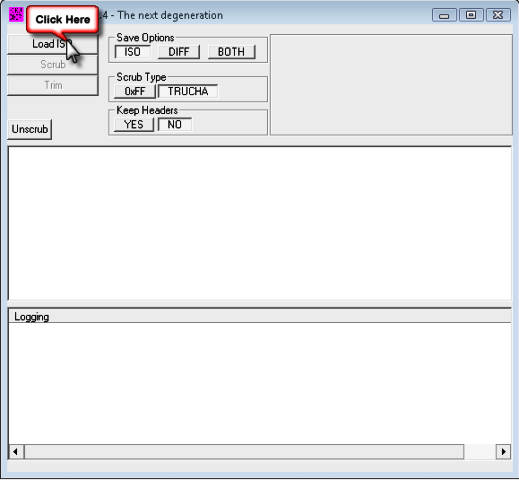
Now we're going to open wiiscrubber and load an iso by clicking on load iso
For our example we're going to open PES09
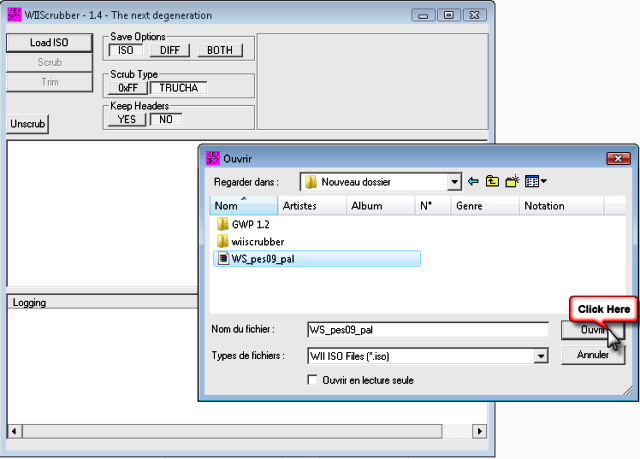
Now your iso is loaded in wiiscrubber and shows 2 partitions
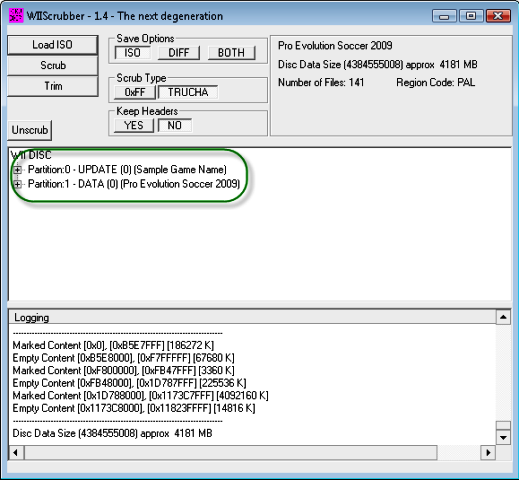
We're going to open partition No. 1 and look for the main.dol file
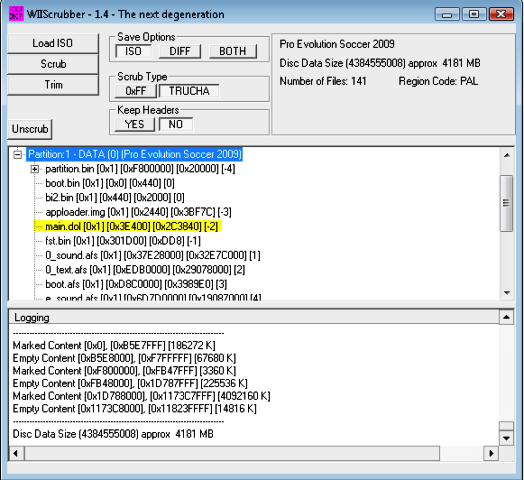
Once this file is found, just right-click on it and extract it
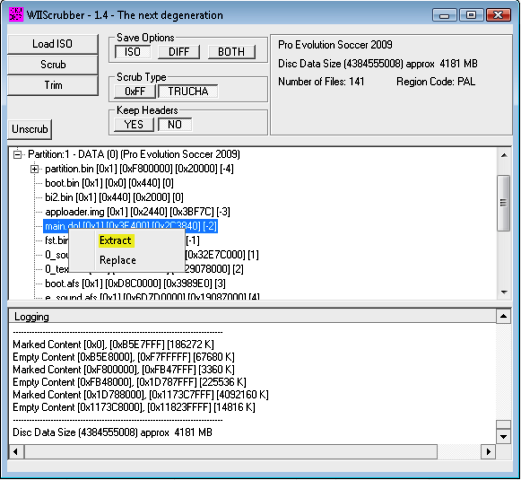
After extracting this file don't close wiiscrubber (it will be used again after modifying this file)
Now we're going to move on to modifying main.dol using GenericWiiPatcher
Open genericwiipatcher and load the previously extracted main.dol
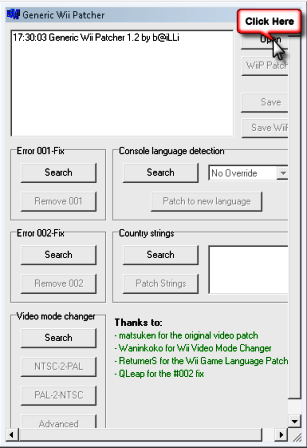
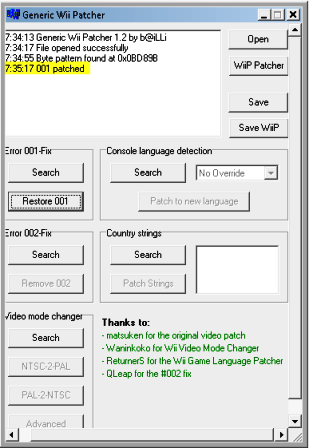
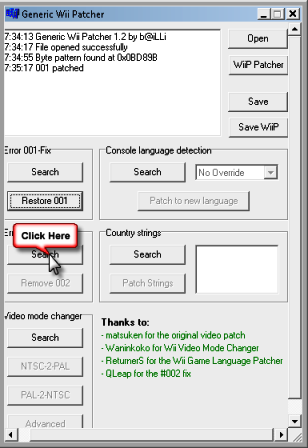
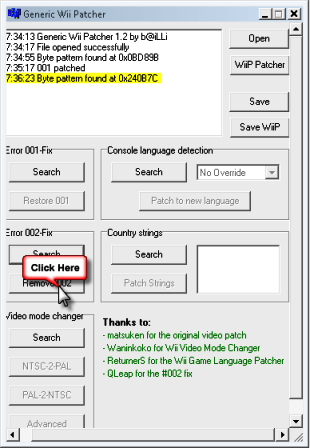
Now just do a search for error 001 and 002 and if they're detected,
then remove appears
Just click on remove and there you go, it's done
Removing error 001
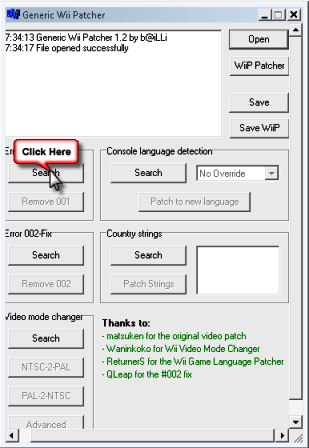
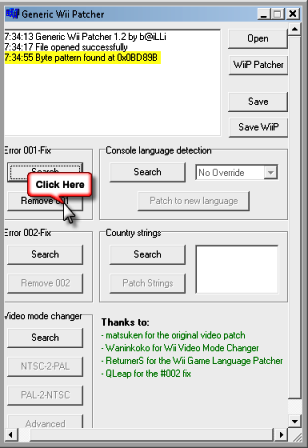
Removing error 002
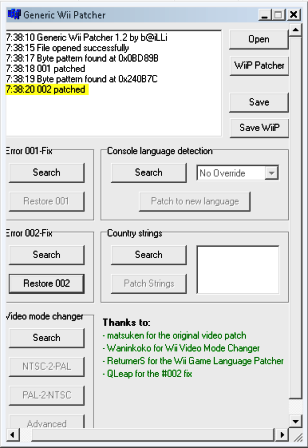
With these two files modified all that's left is to save
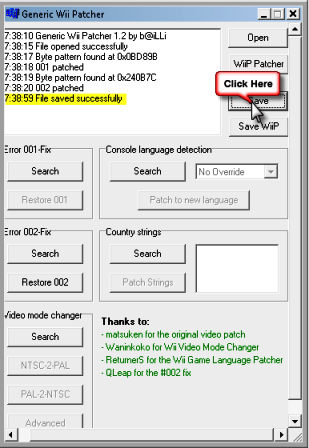
Now you can close genericwiipatcher and go back to wiiscrubber
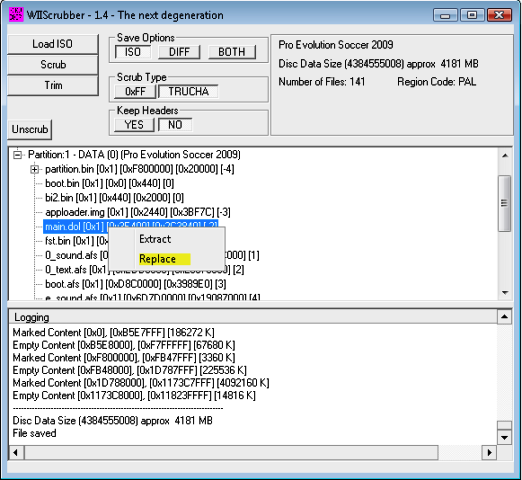
Right-click on main.dol again and this time do replace
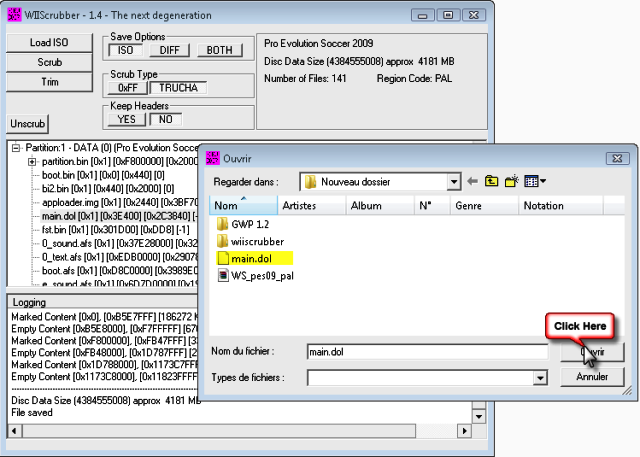
Choose the main.dol saved earlier
If everything went well you should get this:
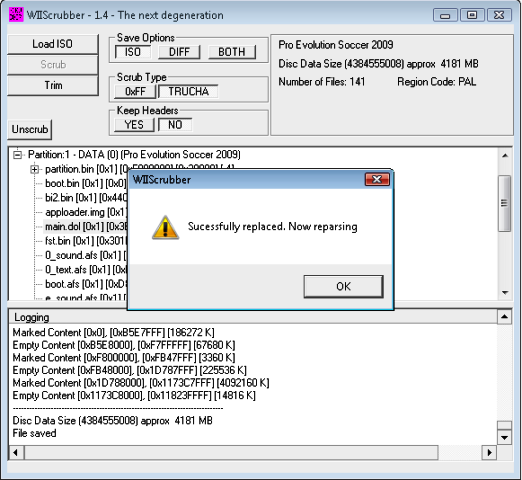
Now you can close wiiscrubber and burn your backup without error 001 and 002



 Everything for Wii · Wii U · Switch